✳ FRIENDSHIP RUNS ON QUESTIONABLE FUEL
Fart Together–style fun.
Play Fartnership online.
One raft. Your crew. Absolutely no paddles.
Jump into a free browser game and figure it out together.
BAD GAS.
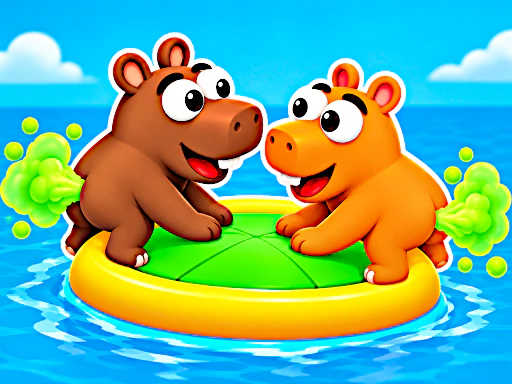
FARTNER!
Ready to make
some waves?
Free browser game · Solo or local 2–4 playersYou’re playing Fartnership, a fan-made game inspired by Fart Together. What’s the difference? ↗
LESS READING. MORE RAFTING.
Three steps to your first splash.
Pick your crew.
Play solo to find your rhythm, or share the keyboard. Give everyone their own player slot and keys. Before choosing a course, test each player’s movement separately so you know who is controlling which character.
Find your position.
Walk around the raft. Stand opposite the direction you want to go, then give it a short burst. Watch the response before adding another push. Moving your character and moving the whole raft are different actions.
Make it together.
Call the next turn, line up your crew, and time your pushes. Try to keep everyone on board. Leave space around obstacles and agree when to release the propulsion keys; several players pushing at once can complicate a small correction.
YOUR CREW’S SURVIVAL KIT
A little help goes a long way.
Get unstuck. Get in sync.
Get back to the game.
Find your sea legs
The raft has no steering wheel. Your position is the steering, and each burst is the engine. Learn that relationship first and the chaos starts to make sense.
5 MIN READBring a fart partner
Playing a game online in a browser and playing over the internet with friends are different things. Here is how the local setup works and what to check before relying on online rooms.
5 MIN READLess chaos. More teamwork.
You do not need a perfect crew to make progress. Start with repeatable movements, agree on when to stop, and save the big coordinated pushes for open space.
5 MIN READSMALL PUSHES. BETTER PLANS.
How to steer without the panic.
Fartnership is easier to understand when you separate positioning from propulsion. First move to the side that supports your next turn, then push. Use the direction diagram to picture the basic relationship. It is a practice aid, while the game adds momentum, obstacles, and the rest of your crew.
WHERE DO YOU WANT TO GO?
Stand at the bottom of the raft to push upward.
Position guide only. Your speed and other players also affect movement in the game.Release, watch, adjust.
Holding the propulsion key can turn a small mistake into a much bigger one. Try a brief burst, release, and watch where the raft travels. If you are drifting toward the wrong side, reposition before adding more force. A useful first exercise is to aim across a clear patch of water and make one deliberate correction.
Choose the gap early.
Look beyond the front of the raft. Decide which side of an obstacle you want to pass before you reach it, then get into position while there is room. Last-second changes give your teammates less time to react. If a route keeps going wrong, change one thing on the next attempt: your starting position, timing, or burst length.
A PLAN FOR THE WHOLE RAFT
Give the crew one clear call.
For local co-op, pick one person to call the next direction. Use short instructions such as “move left,” “push,” and “release,” and agree whether left means the screen’s left side. Let one player make a small correction while the others wait. Once everyone understands the response, try coordinated bursts. If opposite sides push without a plan, it becomes harder to understand which action moved the raft.
Set up a shared-keyboard sessionMEET YOUR NEW CREWTHE ART OF MOVING TOGETHER
A raft, a river,
and a very silly idea.
Fartnership turns a simple river trip into a shared physics challenge. Your position and timing control the raft. One person’s push can help the whole crew—or send everyone toward the next obstacle.
Take a solo run, learn how the raft responds, then try coordinating with friends. The fun comes from figuring out a plan together, watching it go sideways, and giving it another go.
Find your team’s rhythmFROM THE ORIGINAL GAME’S STEAM PAGE
A closer look at Fart Together.
Explore five screenshots from Fart Together Demo by GamesMrkt. These show the separate Steam game, with its hippo crew, colorful waterways, and obstacle courses. The playable browser game above is Fartnership. Select any image for a larger view.
A very unconventional launch.
Two hippos, one inflatable raft, and a cloud of green gas: the Steam Demo puts its unusual means of propulsion front and center.
Thread the canyon.
A narrow channel between red cliffs leaves little room around the spiked obstacles. The overhead view shows just how tight the route becomes.
Read the river.
A wider stretch of water still has rocks and long spiked arms to negotiate. Open space does not always mean a clear path.
Mind the drop.
The raft hangs below a checkpoint bridge beside a steep cliff. One screenshot captures the precarious side of this cheerful river trip.
Keep the finish in sight.
A finish gate waits beyond a rocky passage, with suspended obstacles between the crew and the goal. The final approach still demands attention.
Screenshots: GamesMrkt / Fart Together Demo on Steam.
Is this the official Fart Together game?+
The game you can play here is Fartnership, a fan-made browser game inspired by Fart Together. The GamesMrkt game on Steam is a separate title. Our version guide explains the difference.
Is Fartnership free to play?+
Yes. The supplied browser game has no entry fee on this site. Choose Play Fartnership to load it. You do not need to create a website account or download a desktop installer.
Can I play alone or with friends?+
You can play solo or share one keyboard with two to four players. The game also includes a Play Online menu. Shared-keyboard play and internet rooms are different modes; check our multiplayer guide before choosing.
How do I steer the raft?+
Move your character around the raft, then use the propulsion key. The push moves the raft away from your character, so stand opposite the direction you want to travel.
Does it work on mobile?+
The browser game includes touch controls. On a phone or tablet, turn your device sideways for more space. If the touch controls are difficult to use, try a desktop browser with the keyboard layouts shown in our controls guide.
Why are my controls not working?+
Click inside the game or use Focus game before pressing keys. Check your player slot: player one uses A/D and W; player two uses J/L and I. The controls guide lists all four layouts.
THE RIVER IS CALLING